Microsoft Publisher rendering
PMT uses the installed Microsoft Publisher application to render documents for high-fidelity PDF output.
Publisher Migration Tool helps you find legacy Publisher files, plan how they should be migrated, protect existing PDFs, convert large batches, and verify the result.
Not every archive is neatly organised. PMT can scan a drive or selected location for .PUB files before you start converting.
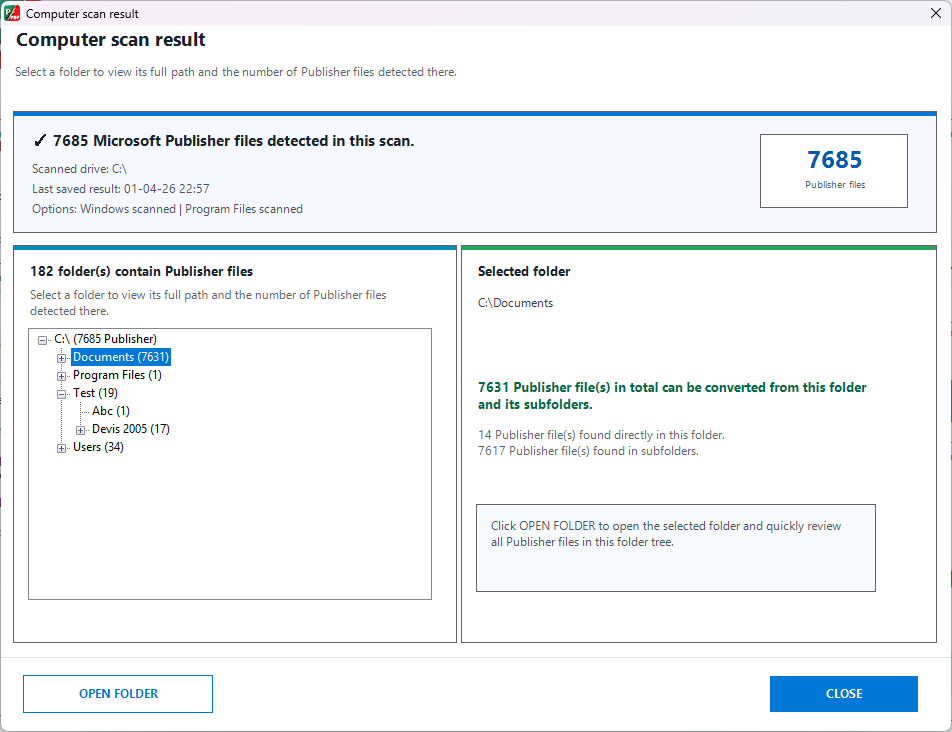
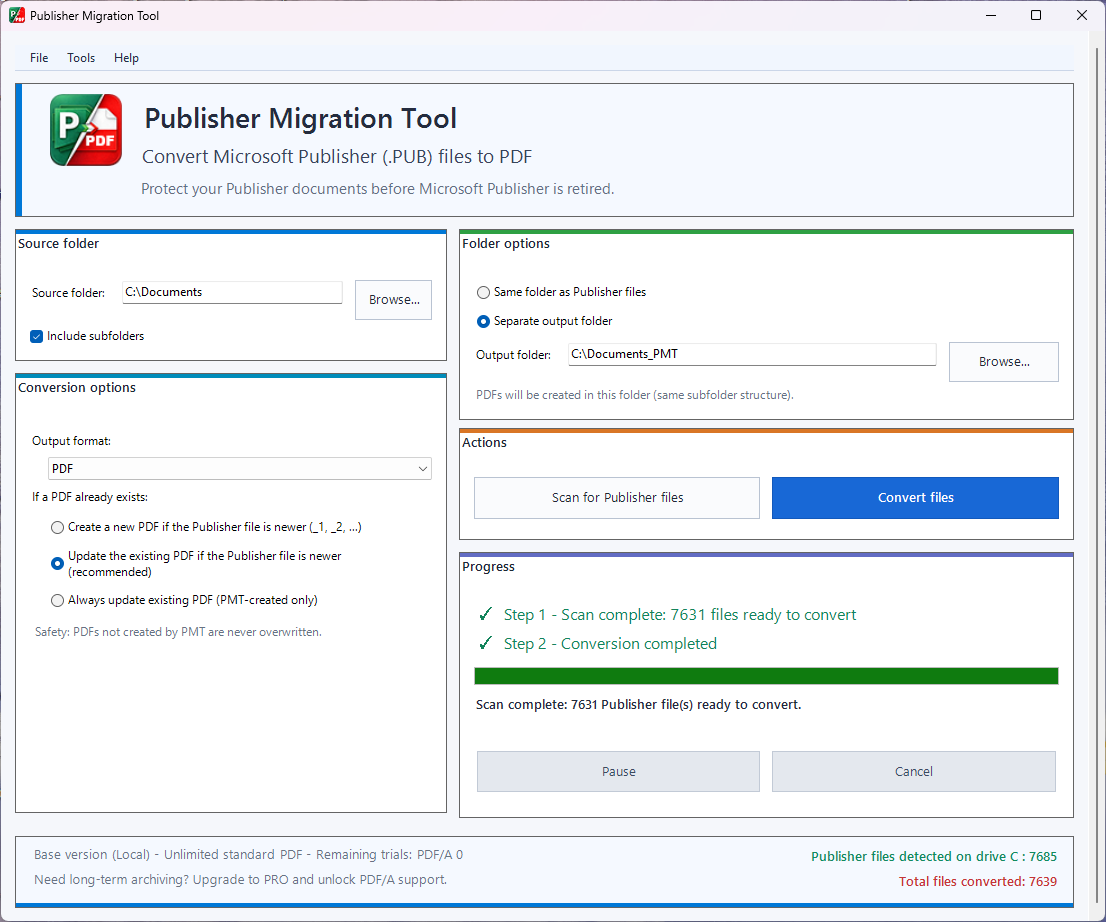
Convert a single folder or include its subfolders. PMT can create PDFs next to the original Publisher files or in a separate destination while reproducing the same folder hierarchy.
Existing PDFs are common in real archives. PMT gives you clear rules for what should happen when a PDF with the same name already exists.
Designed for repeat runs: you can revisit the same archive later without treating every run as a one-off operation.
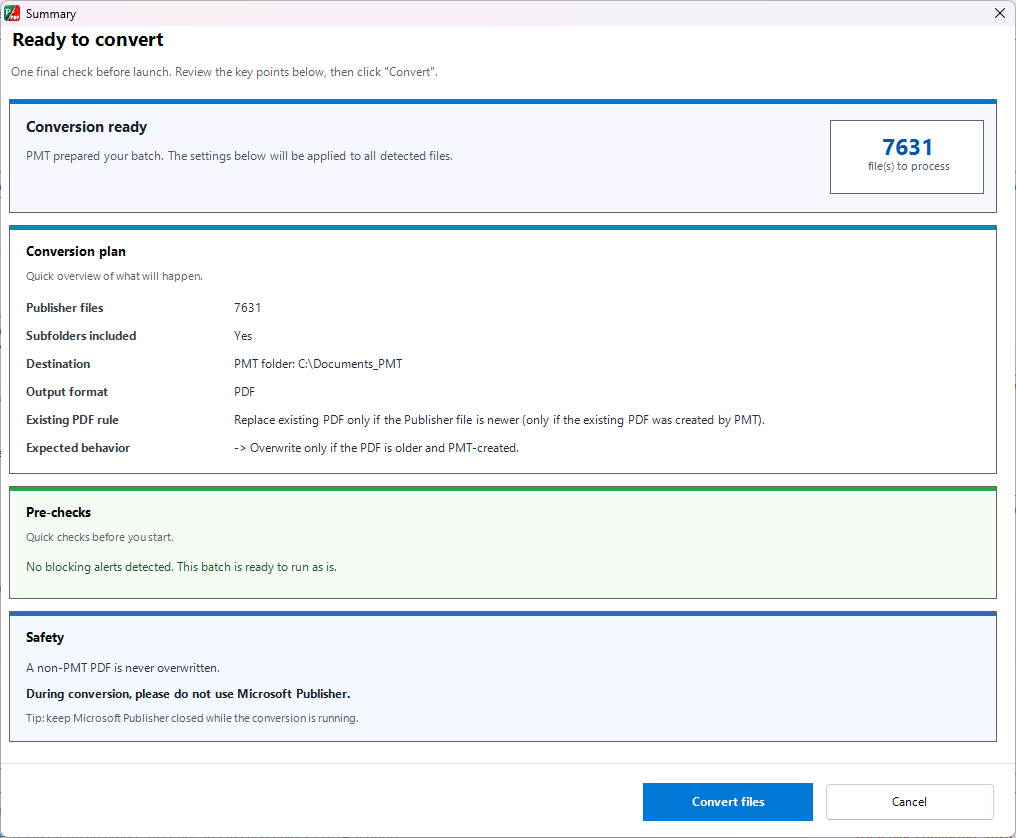
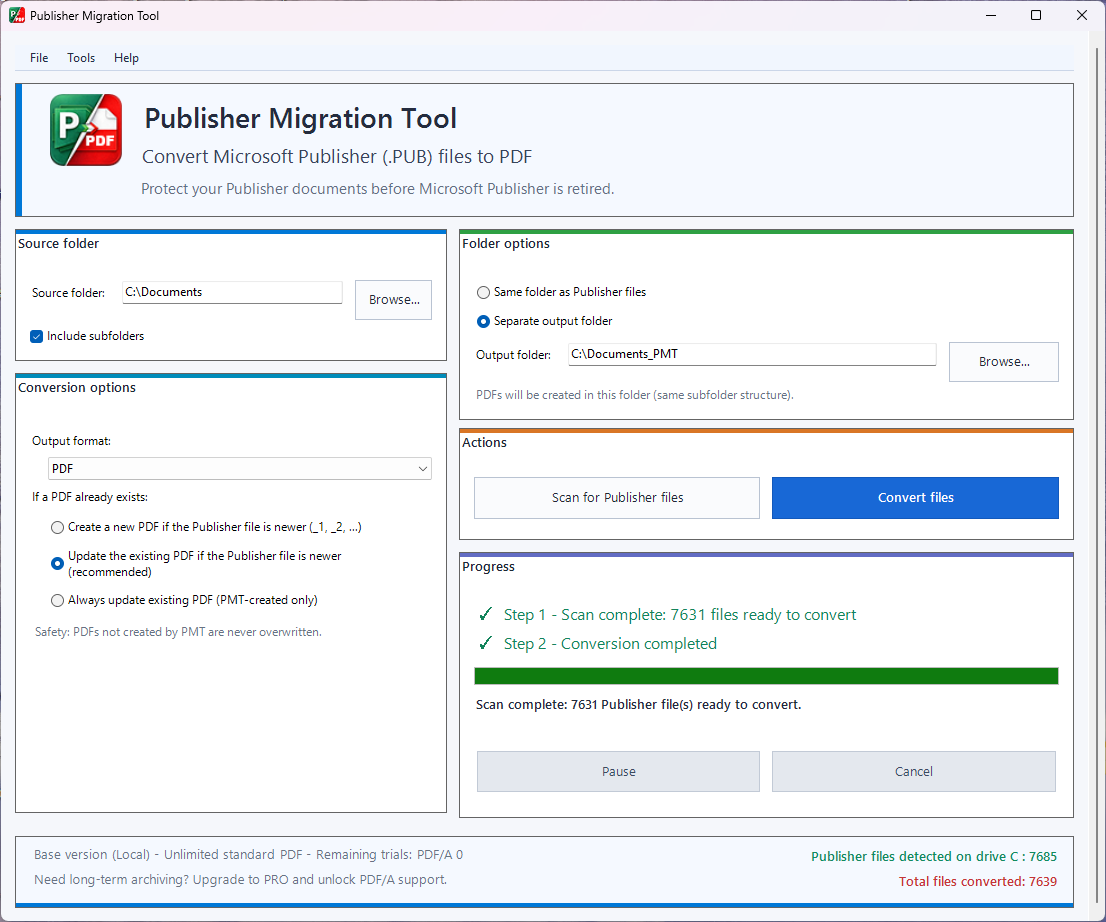
PMT uses Microsoft Publisher itself for rendering and is designed for more than a handful of documents.
After a batch, PMT produces a detailed report so you can focus on exceptions instead of manually checking thousands of files.
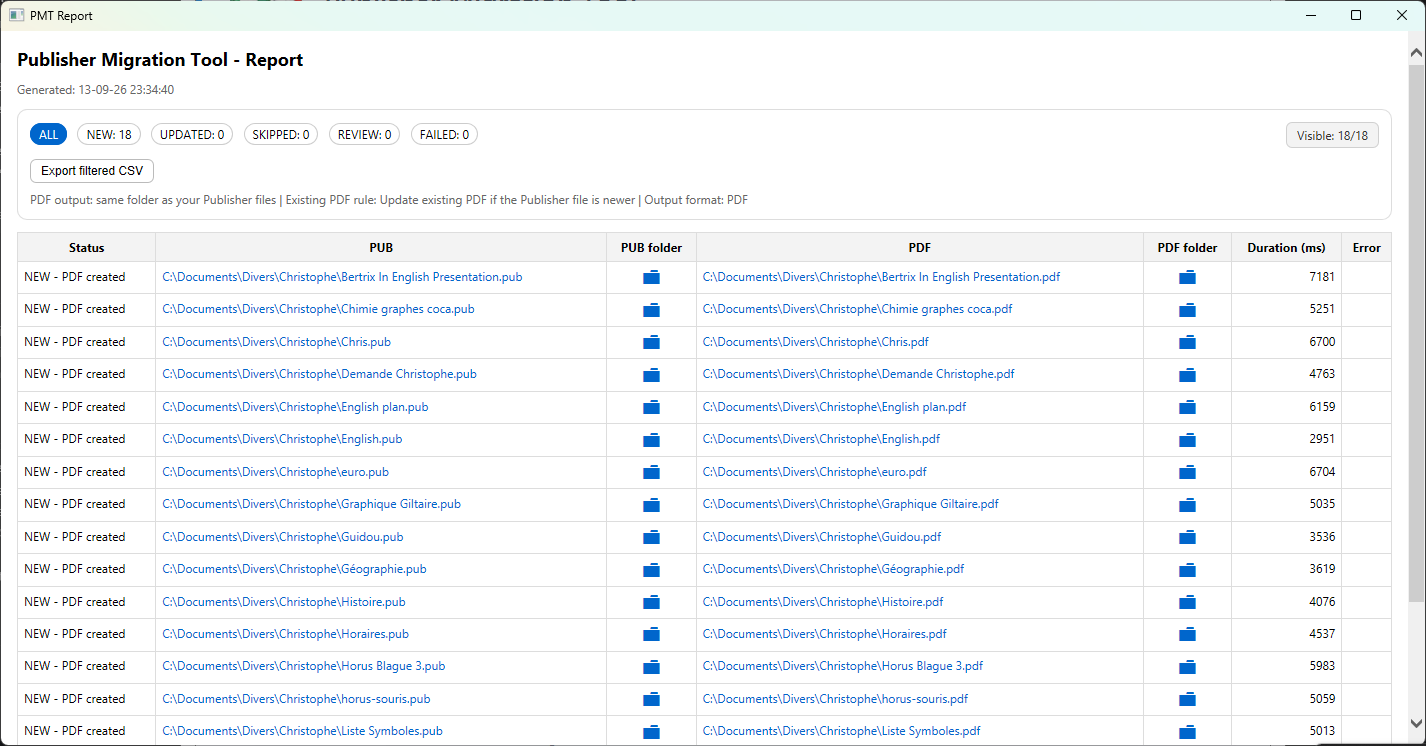
PMT uses the installed Microsoft Publisher application to render documents for high-fidelity PDF output.
Create standard PDFs for everyday access or PDF/A output for long-term preservation workflows.
Your Publisher documents are processed on your Windows PC rather than uploaded to a conversion website.
Use PMT in English or French according to your environment.
PMT can check for newer releases while normal document conversion remains local.
The workflow has been validated on a real-world archive containing more than 7,000 Publisher files.
The free trial includes 5 PDF and 5 PDF/A conversions. No payment or credit card is required.